
Share your booking page
Copy the link from Appointments → Booking Pages. It looks like https://app.wylto.com/book/<your-app>/<page-name>. Put it on your website, Instagram bio, email signature, ads, or send it on WhatsApp.
What the customer sees
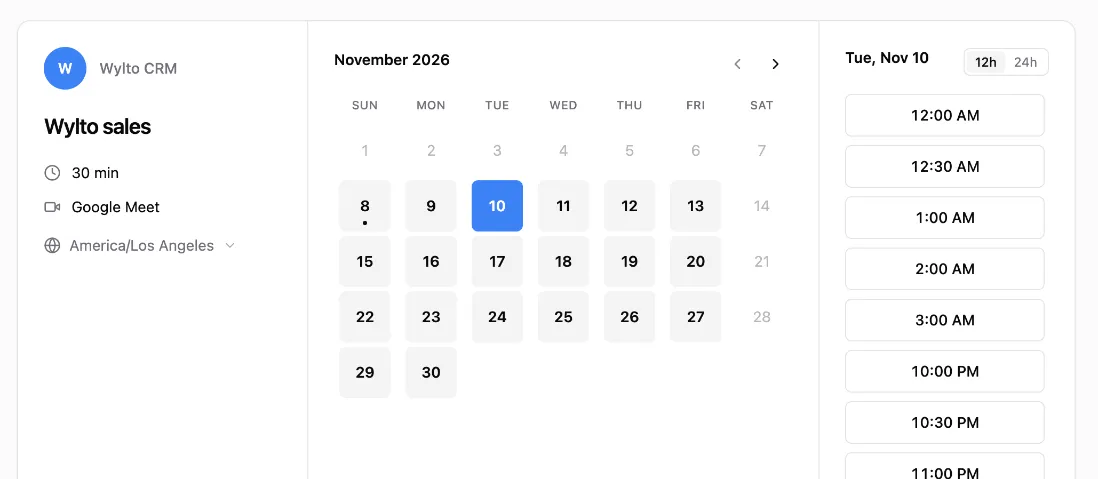
Section titled “What the customer sees”They pick a day, then a time. Times are shown in their timezone, which they can change, in 12 or 24 hour format. The page works on phones and inside WhatsApp’s browser, in light or dark mode.
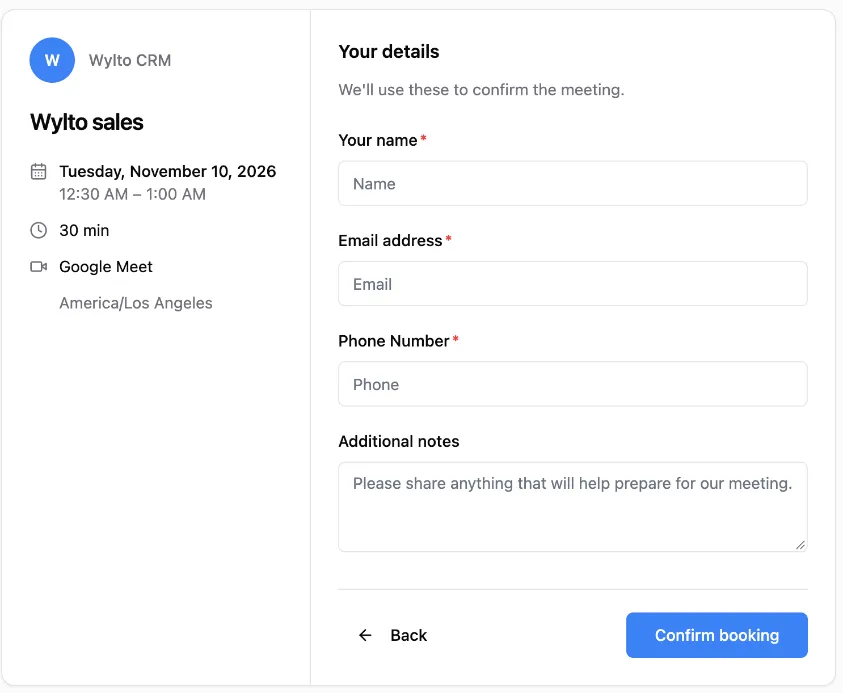
Next they fill in your form and confirm.
After booking they see a confirmation with the meeting details, buttons to add it to Google Calendar or Outlook/Apple (.ics), and Reschedule and Cancel links. If Google Meet is set up they also get a calendar invite by email.