
Webhooks
A webhook sends each booking change to a URL you choose, as it happens. Use it to add bookings to your CRM or a Google Sheet (through Zapier, Make or n8n), post to Slack, or update your own system.
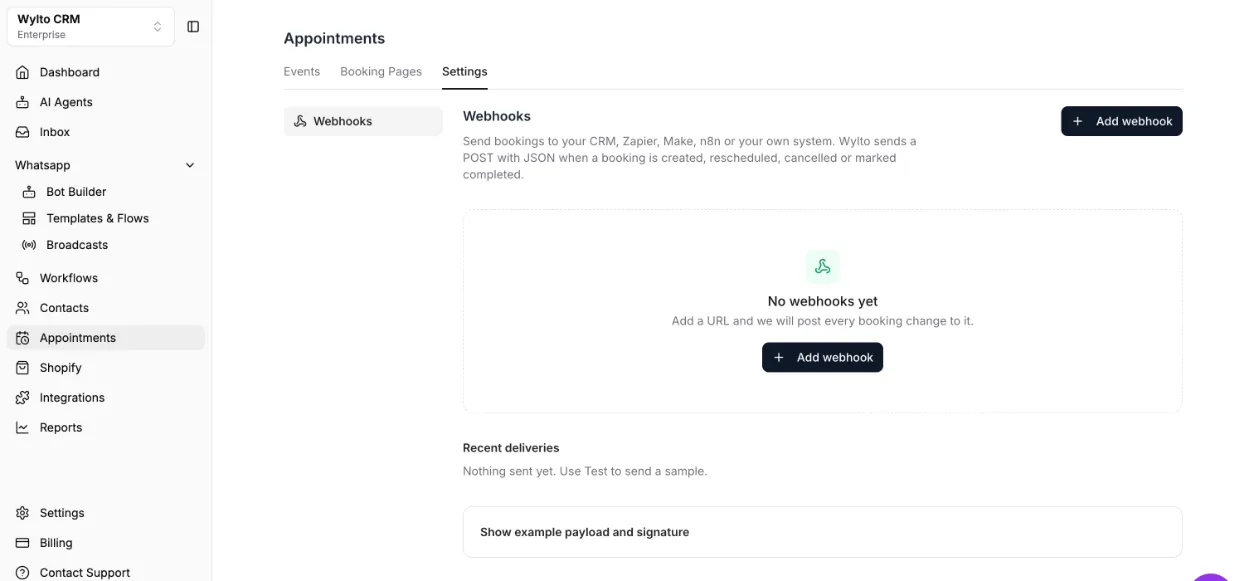
Add a webhook
Section titled “Add a webhook”- Go to Appointments → Settings → Webhooks and click Add webhook.
- Paste the Endpoint URL your tool gave you.
- Pick the Events to send and the Booking pages they apply to (all, or only some).
- Optional: add Headers your endpoint needs, such as
Authorization: Bearer …, and a Signing secret. - Save, then click Test to send a sample. The result shows under Recent deliveries.
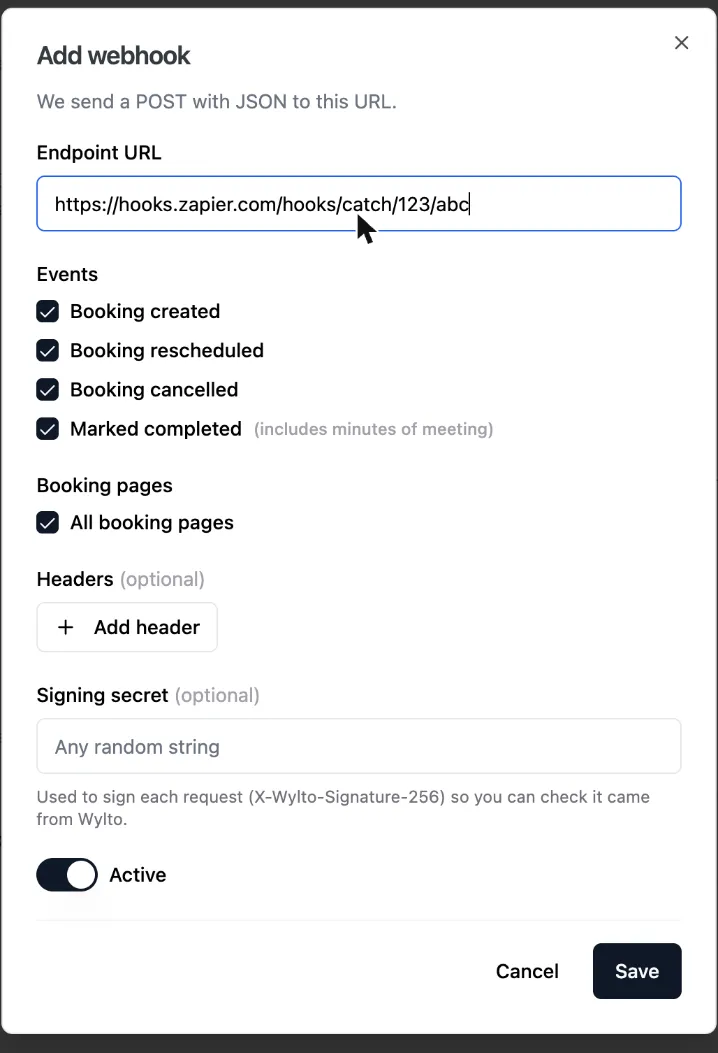
Events
Section titled “Events”| Event | Sent when |
|---|---|
BOOKING_CREATED | Someone books, from a booking page, chatbot or AI agent |
BOOKING_RESCHEDULED | The booking moves, by the customer or your team. Includes previousStartTime |
BOOKING_CANCELLED | The customer or your team cancels it |
BOOKING_COMPLETED | Your team marks it Completed. Includes minutesOfMeeting |
The Test button sends PING with sample data.
What we send
Section titled “What we send”A POST with a JSON body:
{ "triggerEvent": "BOOKING_CREATED", "createdAt": "2026-11-20T10:02:11Z", "payload": { "bookingId": "HRXLZixYtwudTxclPcbE", "eventTypeId": "yJ08Ls8T4CuOk2ZNhFFc", "eventTypeName": "Product demo", "status": "scheduled", "startTime": "2026-11-24T05:30:00Z", "endTime": "2026-11-24T06:00:00Z", "duration": 30, "timeZone": "Asia/Kolkata", "meetingLink": "https://meet.google.com/abc-defg-hij", "contact": { "id": "…", "name": "Asha", "email": "asha@example.com", "phone": "919800000000" }, "assignedTo": { "id": "…", "name": "Priya", "email": "priya@yourcompany.com" }, "responses": { "name": "Asha", "email": "asha@example.com", "notes": "…" }, "rescheduleUrl": "https://app.wylto.com/booking-manage?…", "cancelUrl": "https://app.wylto.com/booking-manage?…" }}Times are in UTC. responses holds the booking form answers, by field id. Every request also has the headers X-Wylto-Event (the event name) and X-Wylto-Delivery (a unique id).
Check the signature
Section titled “Check the signature”With a signing secret, each request carries X-Wylto-Signature-256: sha256=<hex>: an HMAC-SHA256 of the raw body, keyed with your secret. Work it out yourself and compare before trusting the request. In Node.js:
const crypto = require('crypto');
function isFromWylto(rawBody, header, secret) {  const expected = 'sha256=' + crypto.createHmac('sha256', secret).update(rawBody).digest('hex');  const a = Buffer.from(header || '');  const b = Buffer.from(expected);  return a.length === b.length && crypto.timingSafeEqual(a, b);}
Use the raw body exactly as received; parsing and re-encoding the JSON changes it.
Deliveries and failures
Section titled “Deliveries and failures”Reply with any 2xx status. We wait up to 10 seconds and do not retry, so a request that fails or times out is not sent again. Recent deliveries shows the last 20 attempts with the status code; hover a row to see the response or error.
Full payload reference
Section titled “Full payload reference”Every field, header and example for each event is in the API reference.